What is the Stem Time filter?
Features & Capabilities
What is the Stem Time filter?
Features & Capabilities
Premium Feature
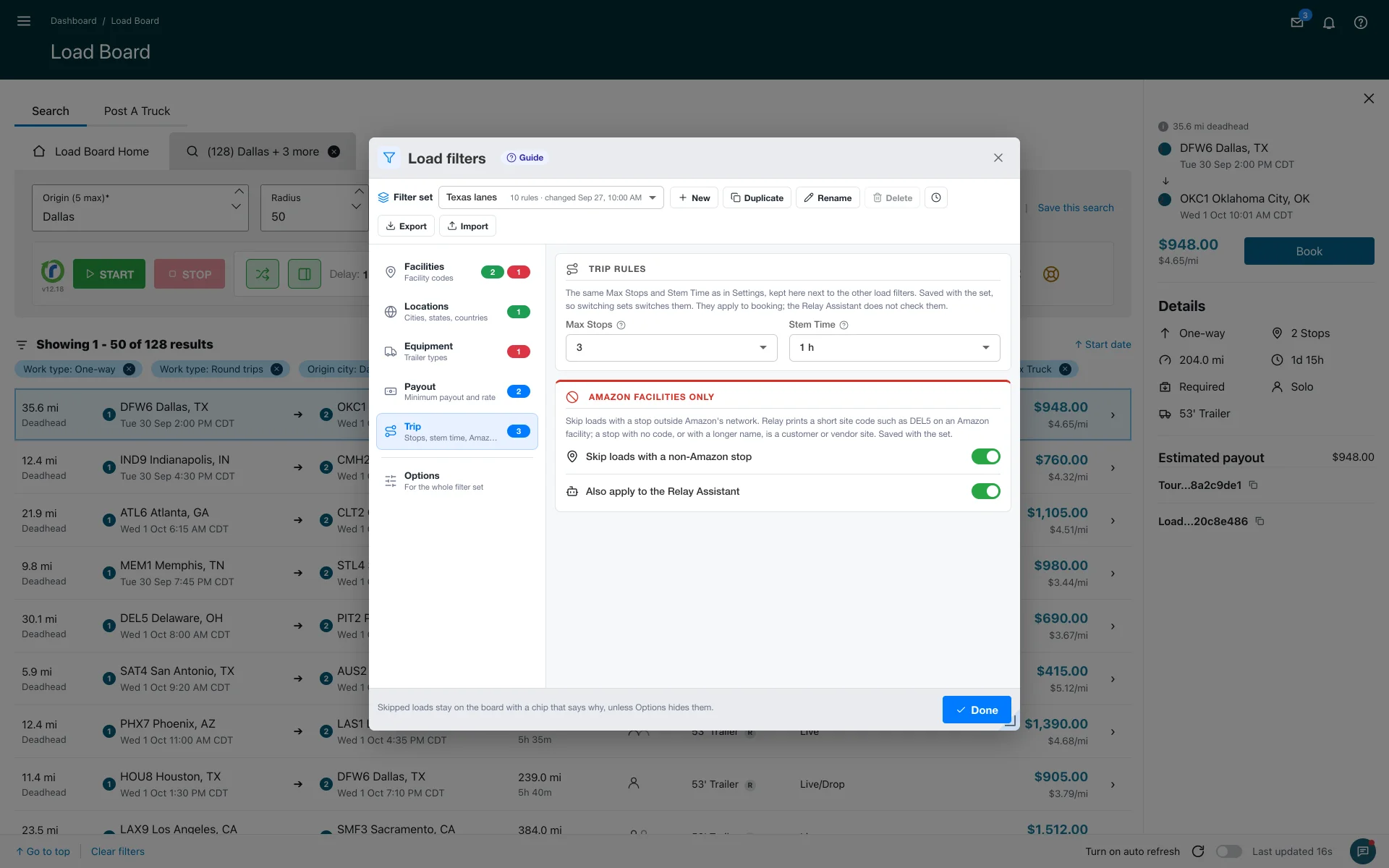
The Stem Time filter sets a minimum lead time between now and a load's pickup. If an Amazon Relay load starts too soon for you to reach the pickup, Relay Autobooker Cardamon skips it, so you don't book runs you can't make. It sits next to Max Stops in the settings.
How it works:
- Pick a preset: 15, 30 or 45 minutes, or 1 to 48 hours.
- The extension automatically skips loads that start sooner than that.
- Off by default. Leave it Off and the extension considers every load regardless of start time.
- When the filter skips a load, you'll see a "Skipped: stem < …" chip explaining why.
Why it matters: a high-paying load is worthless if you can't reach the pickup in time. Stem Time keeps the autobooker on loads you can run. Pair it with Max Stops and your payout filters and let it book without supervision.
More about features & capabilities
- What is Smart Refresher Mode (FREE tier)?
- What is 'Auto Operations' mode?
- How does 'Stop on New Loads' mode work?
- How does 'Stop on Payout Change' mode work?
- What is Fast Confirm (AUTO CONFIRM)?
- How do Load filters work?
Last updated June 11, 2026. See what changed in the changes history.
Need Help?
Contact our support team at support@cardamon.org