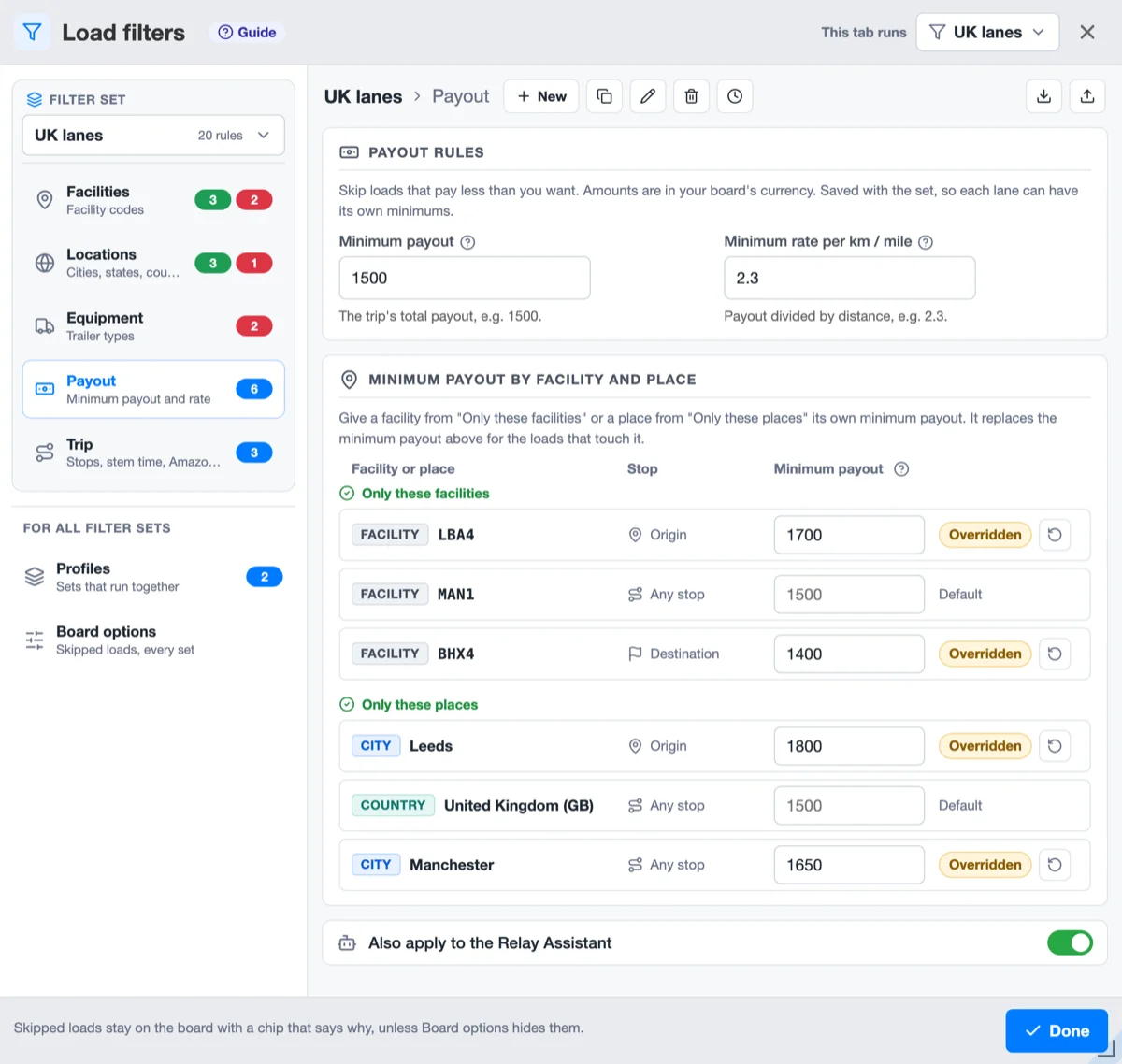
Each entry of "Only these facilities" and "Only these places" can have its own minimum payout, set in the Payout view of Load filters, where each row reads Default or Overridden. Profiles run several filter sets at once, each tab picking its own, and Load filters puts each filter set in a card with its views. Settings and the toolbar take the look of Load filters, and every dropdown works from the keyboard. Load filters cards scroll on their own in a short window, and Chrome's Memory Saver no longer unloads a Relay tab the booker works in.
- Each facility and place can have its own minimum payout. Until now one minimum payout covered every load of a filter set.
- The Payout view of Load filters has a new card, Minimum payout by facility and place, with a field for each entry of "Only these facilities" and "Only these places". Type 1800 next to Leeds, and a load from Leeds has to pay at least 1800.
- Each row says which minimum it uses: Default, the minimum payout above, or Overridden, its own amount. The arrow next to Overridden puts the row back on the default, and so does an empty field or the set's own amount typed in.
- An own amount replaces the set's minimum for the loads that touch that facility or place, higher or lower. A load that touches several of them with their own minimum has to reach the highest.
- The row in Facilities or Locations shows its amount, and a click on it opens the field. The chip on a skipped load names the facility or place, as in "payout below £1800 for Leeds".
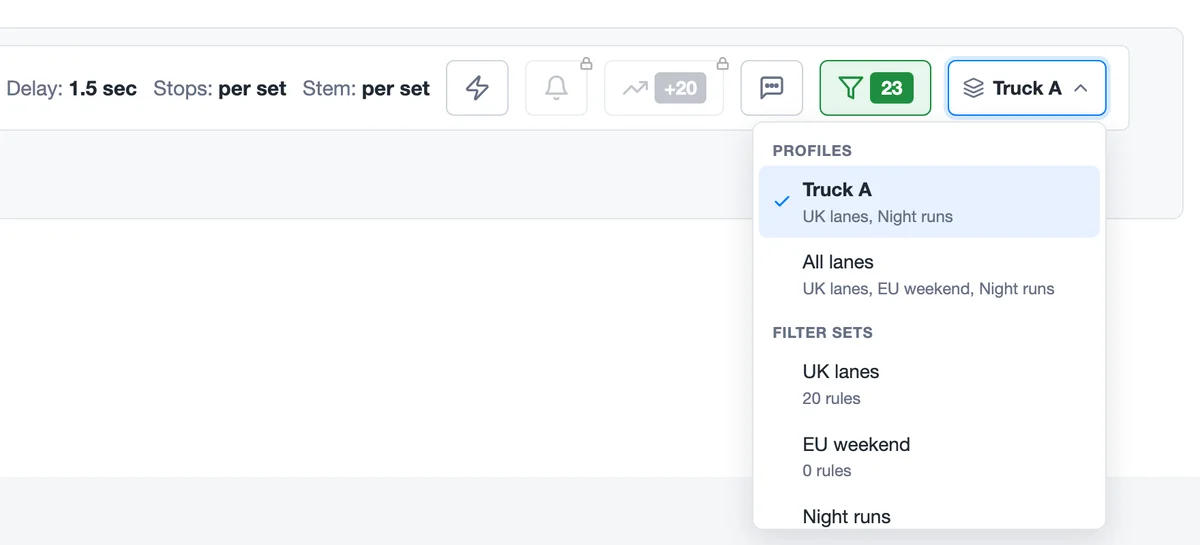
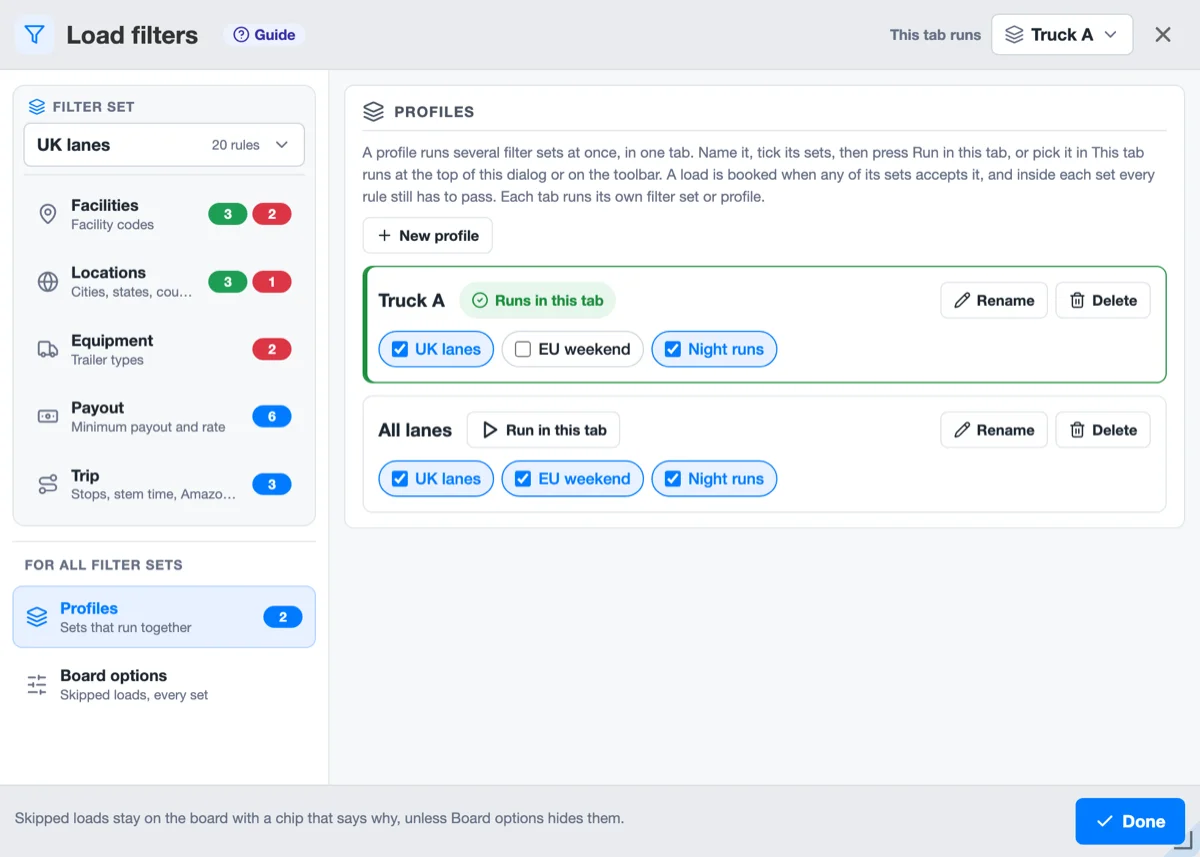
- Profiles run several filter sets at once. A profile is a named pick of filter sets, such as Truck A for UK lanes and Night runs. A tab that runs it books a load when any of its sets accepts it, and inside each set every rule still has to pass.
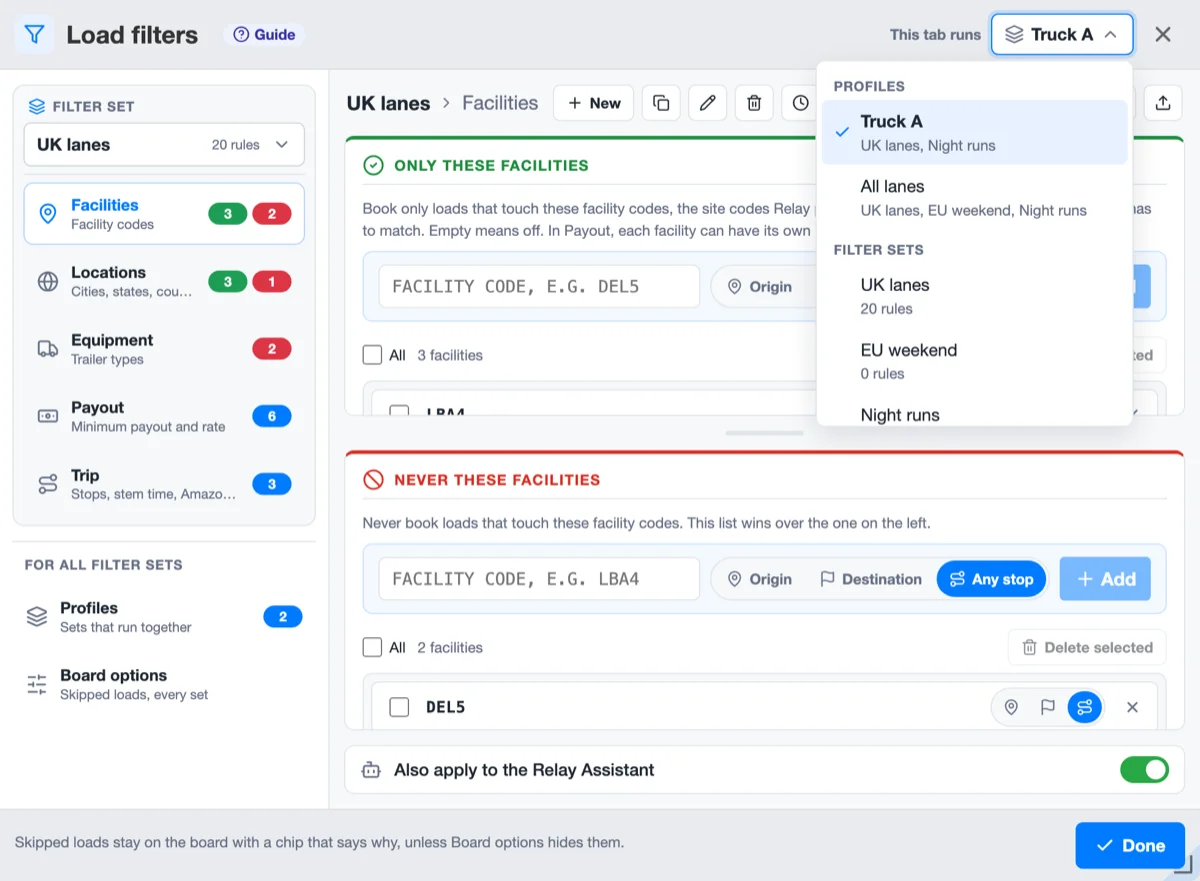
- Pick what a tab runs on the toolbar or at the top of Load filters: a profile or one filter set. Each tab keeps its own choice, a reload included, so three tabs can run three trucks, and a new tab starts with the last choice. The list shows up once there are two sets or a profile.
- Build profiles in Load filters, Profiles: name one, tick its sets, press Run in this tab. A set can sit in several profiles.
- Each set keeps its own Max Stops and Stem Time. While a tab runs a profile, the toolbar and Settings read "per set"; change them in Load filters, Trip, one set at a time.
- When no set takes a load, its chip names the set that came closest, as in "stops > 2 (UK lanes; Night runs too)".
- An edit to a filter set reaches every open tab at once. Before, each tab kept its own copy until you reloaded it, and saving a setting in one tab could undo set edits made in another.
- Load filters shows what belongs to a filter set and what is for every set.
- The filter set has a card at the top of the side panel, and its five views sit inside it: Facilities, Locations, Equipment, Payout and Trip. The view's title names the set again, as in "UK lanes › Facilities".
- The list in the card picks the set you see and edit. It no longer changes what the tab runs: for that, use This tab runs at the top of the dialog, the same list as on the toolbar.
- Profiles and Board options sit below the card, under the heading For all filter sets.
- Options is now Board options. Its Hide skipped loads switch covers every filter set and profile, in every tab, where before each set had its own. It starts where the set your tab runs had it.
- The set's buttons show their names on hover: Duplicate, Rename, Delete, History, Export and Import. New keeps its word.
- Settings and the toolbar look like Load filters, and every list works from the keyboard.
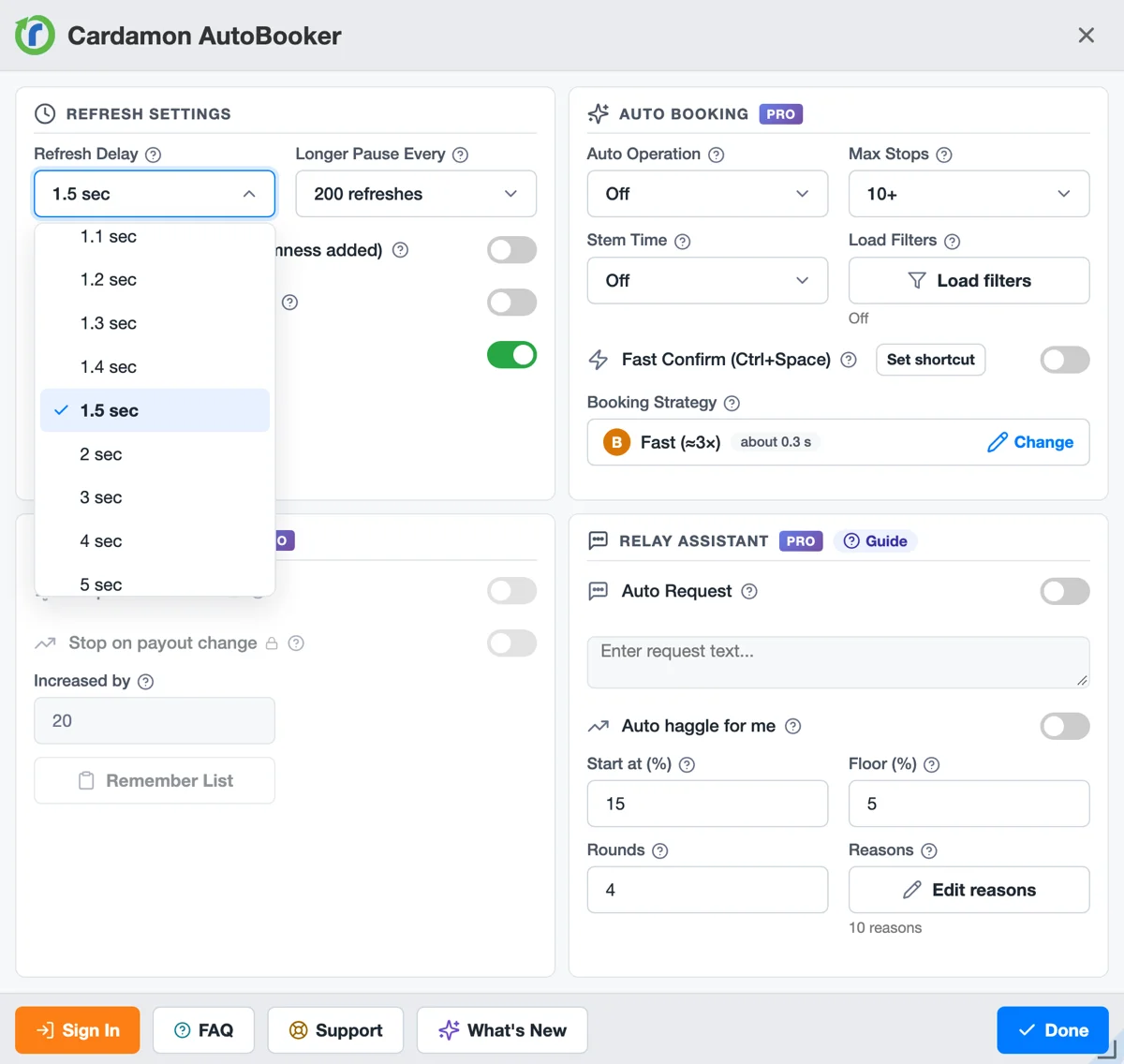
- Settings has white cards with an icon on each title. Each switch explains itself behind a ? after its name, as the fields do, and a click on the name flips the switch. Sound settings, Load filters, Edit reasons and Remember List are white buttons, and Done is the one blue button in the footer.
- Auto Operation shows its mode in colour, as the Auto booking chip on the toolbar does: grey when Off, amber for Book only, red for Book & Confirm. Before, it was red even when Off.
- A list, from Refresh Delay to the filter set and the sound for each event, opens over the window with the current value in the middle, marked with a check. A short Settings or Load filters window no longer cuts the bottom of a list off.
- The keyboard reaches every list: Tab moves to it, Enter or the arrow keys open it, the arrows move through it, Enter picks, and Escape closes the list and leaves the window open. Typing a letter or a digit jumps to a value that starts with it.
- The toolbar on the board and its two panels, Stop on payout change and Relay Assistant, use the same colours, borders and corners. START and STOP stay as they were.
- Load filters cards scroll. In a short window each card, Only these places, Never these places and the others, scrolls on its own, and the view with its Relay Assistant switch stays in place. Before, a short card hid its buttons and its list. The list inside a card keeps its own scroll, and a list of states, countries or equipment types opens over the card instead of being cut off by it.
- Chrome keeps a running board loaded. Chrome's Memory Saver frees memory by unloading tabs you have not looked at for a while, and Chrome does the same when memory runs low. An unloaded board stopped the booker without a word and came back as a fresh page when you opened it. A tab whose title shows a booker mark now stays loaded until you press Stop.
Read more about this feature
The answers below describe how the feature works today, in version 12.21.
 Get from Chrome Store