MetaScout: meta tag checker and social preview checker in Chrome's side panel
MetaScout is a free Chrome extension that checks the SEO meta tags and social previews of the page you are on. It audits title, meta description, canonical, robots, headings, Open Graph and Twitter/X card tags, ranks what to fix first, renders platform-accurate link previews for Google, X, Facebook and LinkedIn, and exports a client-ready report. Everything runs on your device.
No account · No tracking · The audit never leaves your browser
What does MetaScout show in the side panel?
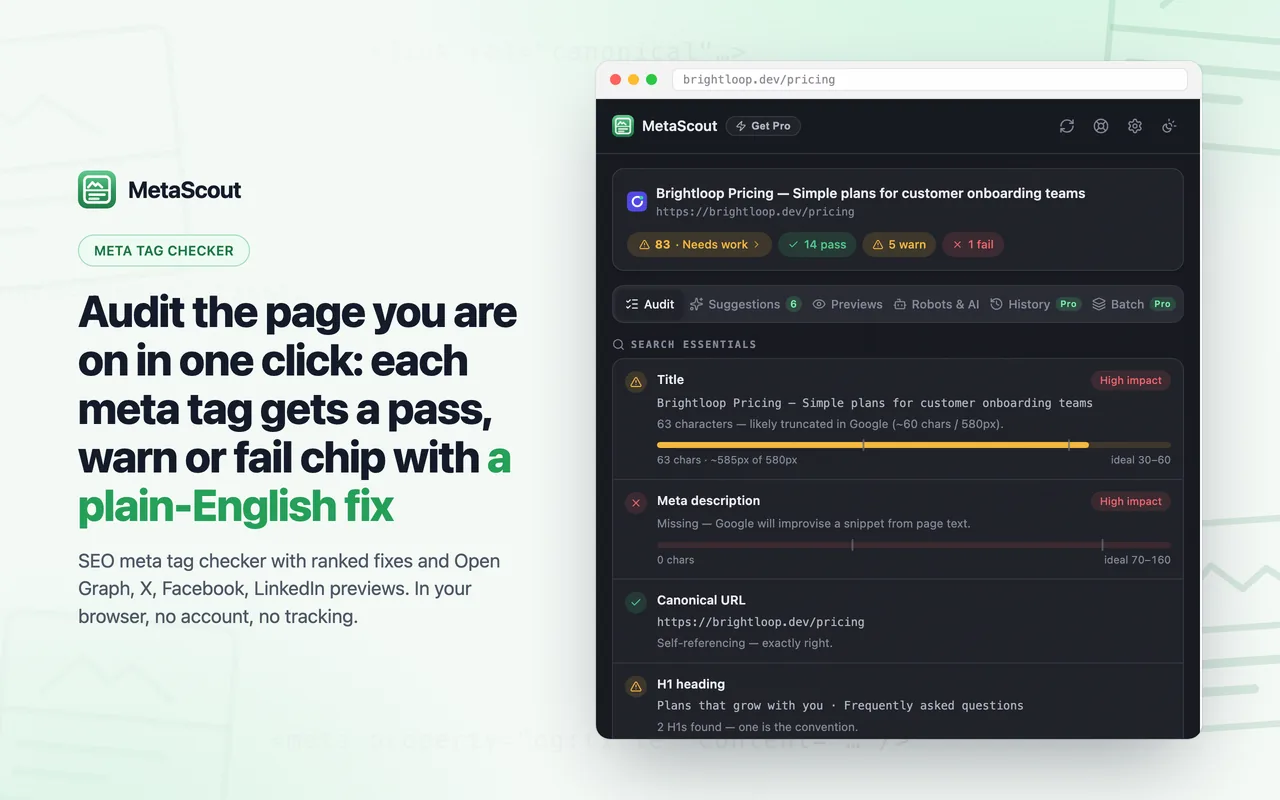
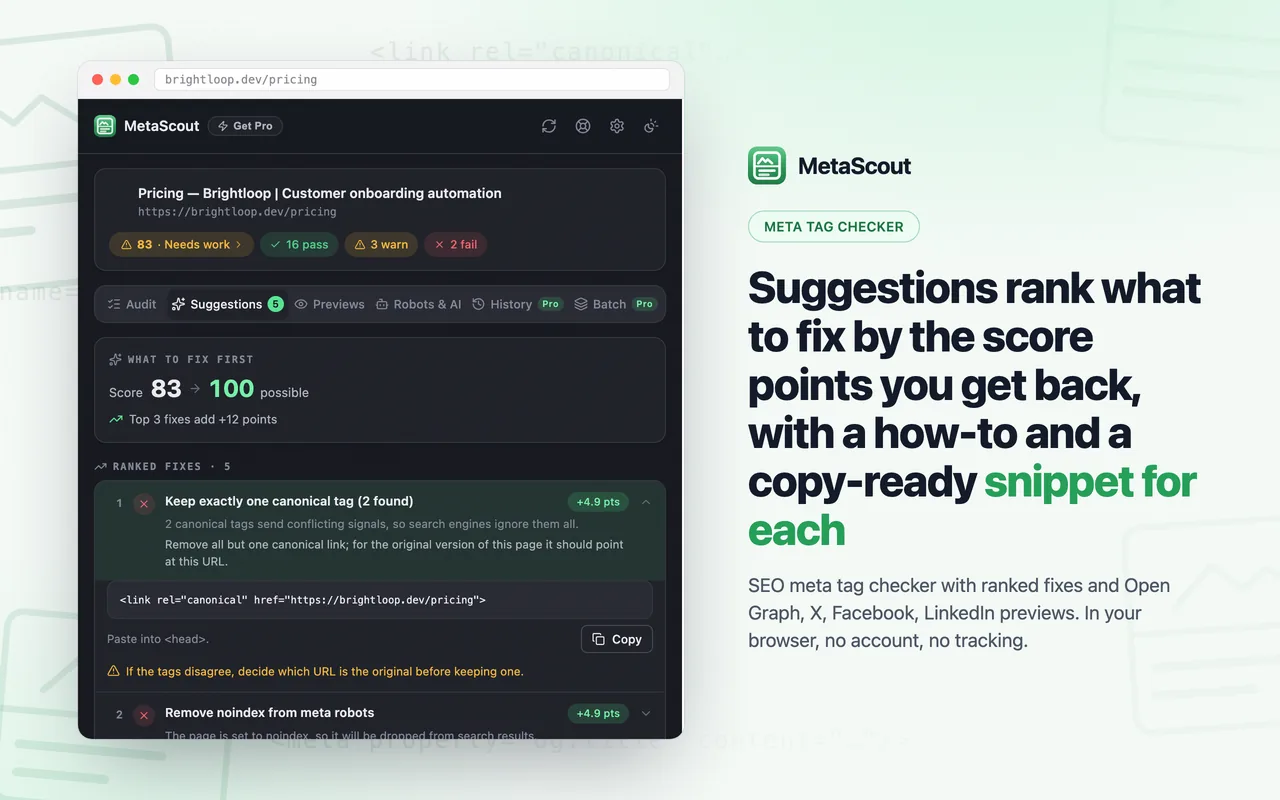
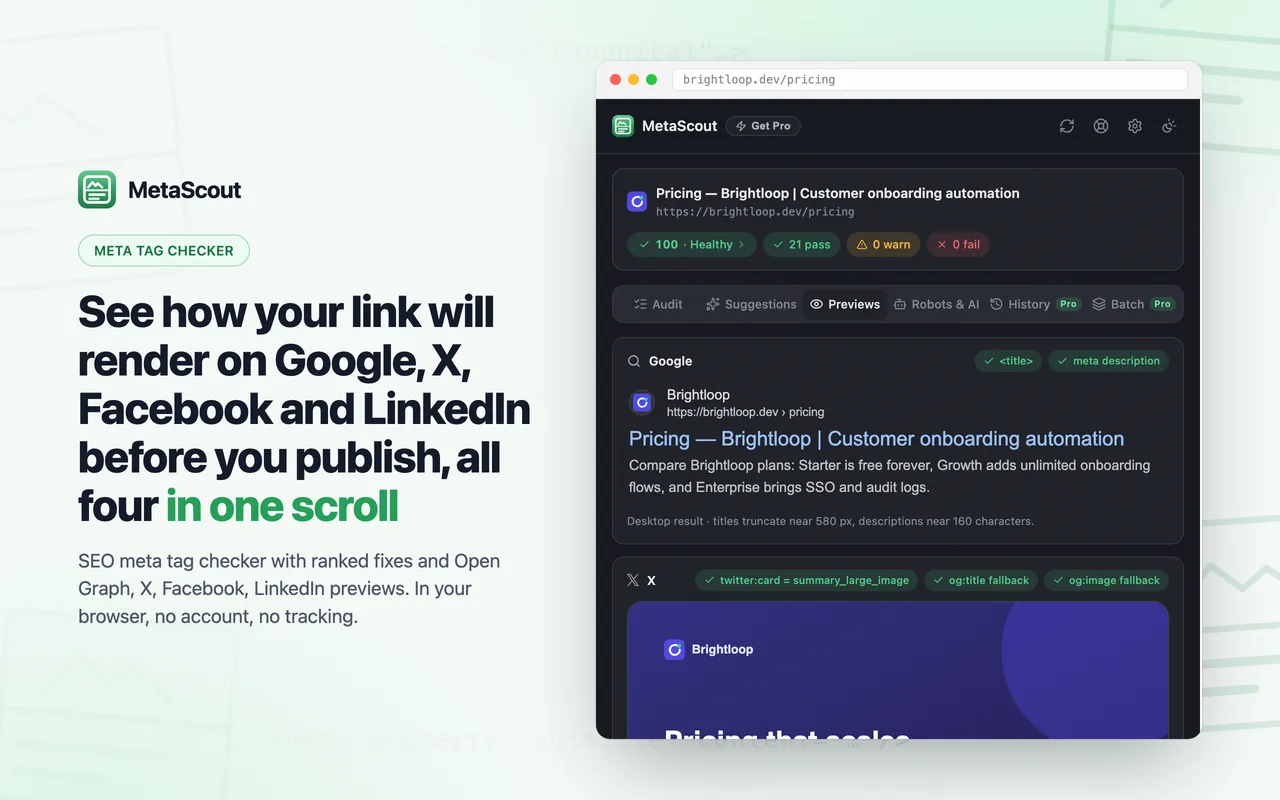
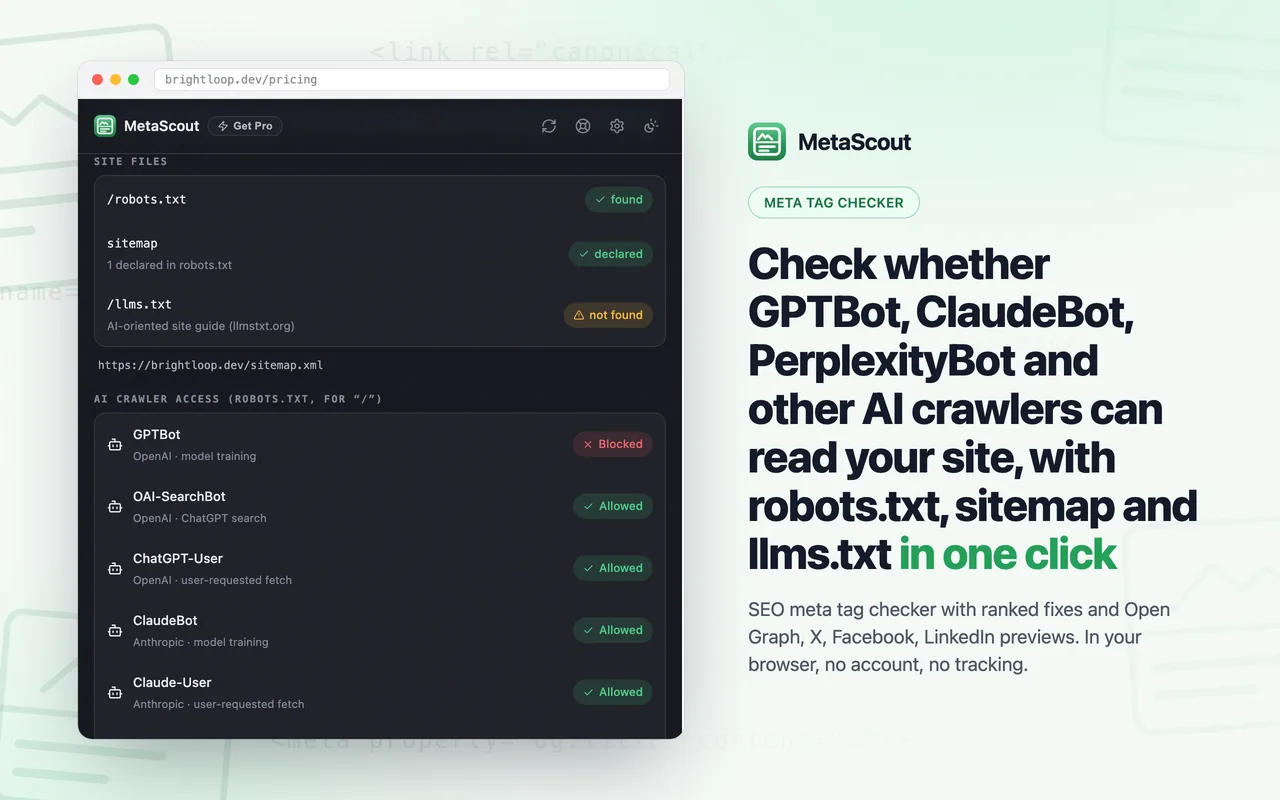
MetaScout has five views: Audit lists every meta tag with a pass, warn or fail chip and a one-sentence fix; Suggestions ranks fixes by the score points they return; Previews renders Google, X, Facebook and LinkedIn cards; Robots & AI checks robots.txt, sitemap and llms.txt; and the exported report puts the top improvements first.
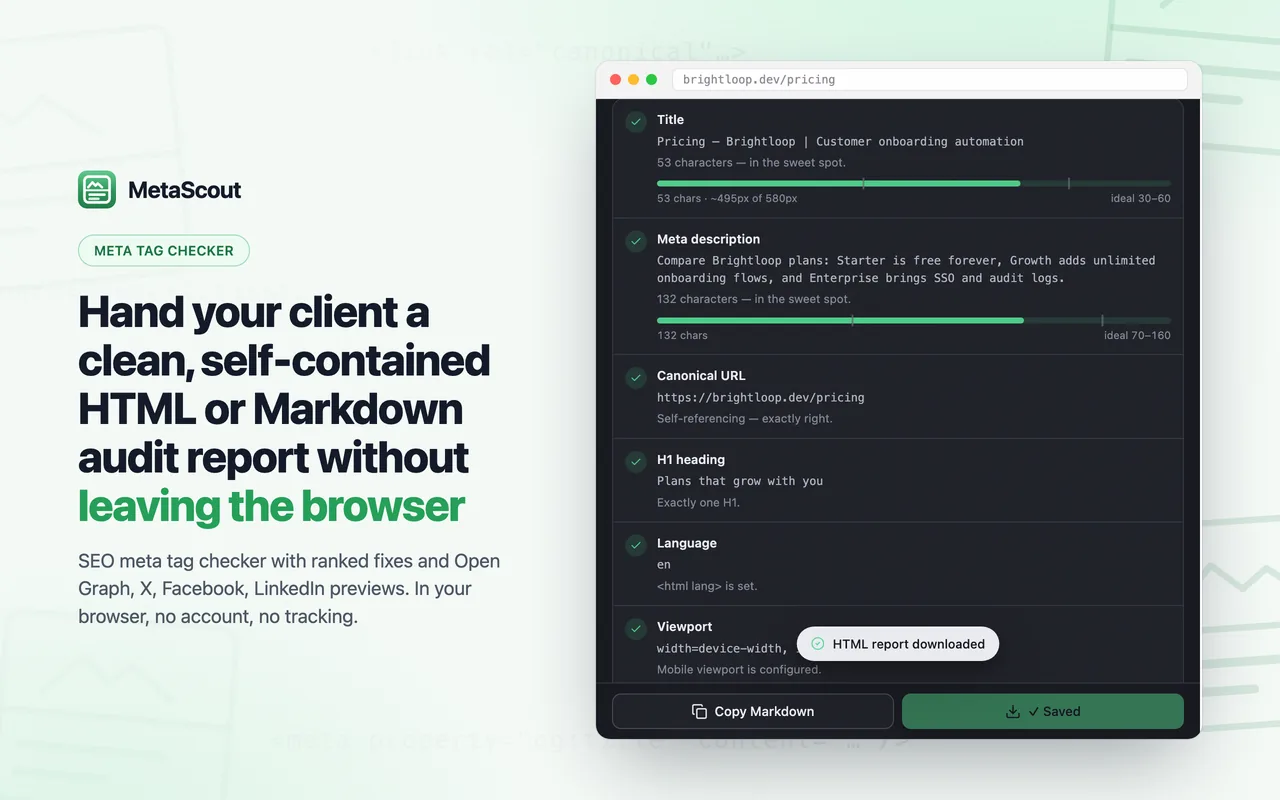
Audit the page you are on in one click: each meta tag gets a pass, warn or fail chip with a plain-English fix.Suggestions rank what to fix by the score points you get back, with a how-to and a copy-ready snippet for each.See how your link will render on Google, X, Facebook and LinkedIn before you publish, all four in one scroll.Check whether GPTBot, ClaudeBot, PerplexityBot and other AI crawlers can read your site, with robots.txt, sitemap and llms.txt in one click.Hand your client a clean, self-contained HTML or Markdown audit report without leaving the browser.
How do I check meta tags in Chrome with MetaScout?
Click the MetaScout icon or press Alt+Shift+S on any normal website. The side panel opens and audits the tab immediately: each check gets a pass, warn or fail chip and a plain-English fix. Edit the tags, press R to re-audit and watch the score change, then press C or E to copy or download the report.
1
Click the icon or press Alt+Shift+S
The side panel opens next to the page and audits it immediately. Chrome only lets the extension read a tab after you invoke it there, so nothing is scanned until you ask, unless you opt in to auto-audit on the first click.
2
Read the audit and the Suggestions
Every check gets a pass, warn or fail chip and a one-sentence fix. The Suggestions tab ranks what to fix first by the score points you get back.
3
Fix, re-audit, export the report
Change the tags, press R to re-audit and watch the score climb, then copy the audit as Markdown or download a self-contained HTML report for a client.
What does the free version of MetaScout include?
The free version includes the full audit checklist, the Suggestions tab with the top 3 ranked fixes and one nice-to-have, all four social previews, the AI-crawler check, audit history with the Changes card, keyboard shortcuts, and Markdown and self-contained HTML report export. There is no account, no trial clock and no tracking. Free features stay free.
Audit checklist
Title and meta description gauges in characters and pixels, canonical sanity, meta robots with a loud warning for an accidental noindex, H1s and heading outline, lang, viewport, charset, favicon, Open Graph and Twitter/X tags with the real fallback logic, and JSON-LD types at a glance. Each check gets a pass, warn or fail chip and a one-sentence fix.
Suggestions: what to fix first
Every failing or warning check ranked by the score points you get back. The top 3 fixes are free, each with the current and target numbers and, where the fix is a tag, a copy-ready snippet prefilled from the page, plus one nice-to-have. The same top 3 improvements open every exported report; Pro unlocks the full list.
Platform-accurate previews
A Google desktop result with your real favicon and breadcrumb, the X card as declared (summary or summary_large_image), the Facebook feed card and the LinkedIn share preview, all four in one scroll, light and dark, with chips that show which tag feeds each slot.
AI crawler readiness
One explicit click checks the site's robots.txt, sitemap and llms.txt and shows whether GPTBot, ClaudeBot, PerplexityBot, Google-Extended, CCBot and other AI crawlers are allowed, limited or blocked.
Reports your clients can read
Copy the whole audit as clean Markdown, or download a self-contained HTML report you can email as is, with the top improvements first.
Keyboard-first
Alt+Shift+S to audit, R to re-audit, C to copy the Markdown report, E to export HTML, 1 to 5 to switch sections, 6 or B for Batch.
Optional upgrade
What does MetaScout Pro add for agencies and consultants?
MetaScout Pro adds four things: the full Suggestions list with every ranked fix and snippet, full audit history with a compare-any-two-audits view, batch audit of a URL list or a sitemap with one combined report, and white-label reports with your name, logo and notes. One license key works on up to 3 browsers, with no account. Current prices are shown in the extension.
Full suggestions list
Every ranked fix with its how-to and copy-ready snippet, not just the top 3, in the panel and in every exported report.
History compare
Every audit is kept on your device per URL, and the Changes card (score before and after, the first 3 changes) plus the latest audit in the timeline are free. Pro shows every change, the full timeline of the page and compares any two audits.
Batch audit
Paste a list of URLs, or import the site's sitemap, and get one combined report.
White-label reports
Your name, logo and notes on every report, with the MetaScout footer switched off.
Pricing
Current prices are shown in the extension's Pro dialog
One license key, up to 3 browsers, no account. The free version stays free.
What permissions does MetaScout ask for, and why?
MetaScout asks for sidePanel (the interface lives in Chrome's side panel), activeTab and scripting (read the page only after you click the icon or press the shortcut on that tab) and storage (theme, settings and audit history on your device). Access to all sites is optional, asked once on the first click, and only enables auto-audit when you switch tabs.
sidePanel
The whole interface lives in Chrome's side panel, next to the page you are auditing.
activeTab + scripting
Read the page you asked to audit, only when you click the icon or press the shortcut on that tab. There are no content scripts running in the background.
storage
Saves your theme, settings and audit history on your device, plus a random install identifier mirrored to Chrome's synced storage so a reinstall does not use up a license seat. Removing the extension deletes its local storage.
Optional: all sites
Asked once, on your first click. Allow it and every tab is audited as you switch to it; decline and MetaScout reads only the tabs you click it on. Change it any time in Settings.
Does MetaScout send my pages anywhere?
No. The tags, headings and text MetaScout reads are analysed by JavaScript inside the extension and never leave your browser; there are no analytics and no tracking. The only server it contacts is cardamon.org, and only for the optional Pro license and support. Those requests carry no page content, URL or audit result.
Page content never leaves your browser. No page content, URL or audit result is sent to Cardamon or anyone else, and there are no analytics or tracking.
Requests to the audited site happen only because you asked. The panel loads the preview image and favicon the page declares, and fetches robots.txt, sitemap.xml and llms.txt only when you click the crawler check.
The only other server is cardamon.org, and only for the optional Pro license and support: current prices when the Pro dialog opens, license activation with a periodic re-check, and messages you choose to send. Those requests carry no page data.
Install MetaScout, open the page and click the MetaScout icon or press Alt+Shift+S. The side panel audits the tab immediately and lists the title, meta description, canonical, robots, headings, Open Graph and Twitter/X tags, each with a pass, warn or fail chip and a one-sentence fix. Press R to re-audit after you change a tag.
Is MetaScout free?
Yes. The full audit, the Suggestions tab with the top 3 ranked fixes, all four link previews, the AI-crawler check, audit history with the Changes card and Markdown and HTML export are free, with no account, no trial clock and no tracking. Pro is an optional upgrade for people who audit many pages for clients; free features stay free.
Is MetaScout an Open Graph preview checker?
Yes. The Previews tab reads the page's og:title, og:description, og:image and og:url tags and renders the Facebook feed card and the LinkedIn share preview as declared, with chips under each card showing which tag feeds each slot and which fallback applied when a tag is missing. The Audit tab also flags missing Open Graph tags and an og:image served over http://, which some platforms drop.
Can I preview a Twitter card (X card) before I post?
Yes. MetaScout renders the X card as the page declares it, summary or summary_large_image, using the twitter:* tags and falling back to Open Graph when X's own tags are missing, which is what X itself does. The card sits in one scroll with the Google, Facebook and LinkedIn previews, in light and dark mode.
How do I know if my page is set to noindex?
Open the page and run MetaScout. The Audit tab reads the meta robots tag and shows a loud fail chip when the page is set to noindex (and a warning for nofollow), so an accidental noindex left over from staging is caught before the page ships. The Robots & AI tab separately reads the site's robots.txt and reports which AI crawlers are blocked from the page's path.
Can GPTBot, ClaudeBot or PerplexityBot read my site?
MetaScout tells you in one click. The Robots & AI tab fetches the site's robots.txt, sitemap.xml and llms.txt and shows whether GPTBot, ClaudeBot, PerplexityBot, Google-Extended, CCBot and other AI crawlers are allowed, limited or blocked for the page's path. The three requests go to the audited site only, and only when you press the button.
Can I export an SEO report for a client?
Yes, and it is free. Press C to copy the whole audit as clean Markdown, or E to download a self-contained HTML report that opens with nothing installed; both start with the top 3 improvements ranked by score points. Pro lists every ranked fix, adds your name and logo, and produces one combined report for a batch of URLs.
What does MetaScout Pro add?
Four things for agencies and consultants: the full Suggestions list with every ranked fix and snippet, full audit history with a compare-any-two-audits view, batch audit of a pasted URL list or the site's sitemap with one combined report, and white-label reports with your name, logo and notes. One license key works on up to 3 browsers, with no account. Current prices are shown in the extension's Pro dialog.
Does MetaScout upload my pages or track me?
No. The tags, headings and text it reads are analysed by JavaScript inside the extension and never leave your browser. There are no analytics and no tracking. The only server the extension contacts is cardamon.org, and only for the optional Pro license and support; those requests carry no page content, URL or audit result.
Why does Chrome ask for access to all sites on the first click?
That is the optional auto-audit permission. Allow it and every tab is audited as you switch to it; decline and MetaScout reads only the tabs you click it on or open with Alt+Shift+S. Nothing leaves your device either way, and you can change the choice at any time in Settings.
Why does the preview differ from the real card on X, Facebook or LinkedIn?
Usually one of three things: the platform cached an older version of the page, the image is not reachable by the platform (a relative URL, an http:// image, one behind a login or above the size limit), or a fallback applied. MetaScout shows the tags as they are now; use the platform's sharing debugger to force a re-crawl after you change tags.
Does MetaScout work on any page?
On any normal website. MetaScout audits the page as your browser rendered it, after scripts ran, which is what social crawlers and Google's renderer see in most cases. Chrome blocks every extension on its own pages (chrome://, the Chrome Web Store, the new-tab page) and on some special URLs such as PDF viewers; there MetaScout shows a "can't be audited" state.
Last updated: August 29, 2026 · Extension version 1.6.8

 Add to Chrome — it's free